How do I delete my account?
Summary: This article outlines the steps to delete your Bitvavo account. It also provides important information about downloading transaction and balance data before deletion and answers frequently asked questions about account deletion and updating personal information.
Before you leave
Are you experiencing issues that can be resolved before closing your account? Check out some common challenges and solutions below:
- Verification isn't working: Need help verifying your identity? Read how it works here.
- Login issues: Unable to log in? You can reset your password or reset your 2FA here.
- I'm worried about security: Security is our priority. Read more about fraud and account security here.
- The crypto I'm looking for isn't listed: Missing a digital currency? Read how to request a new crypto asset here.
- I have little trading experience: Check out our beginner guides in our Help Center.
Delete account
Follow the steps below to remove your account:
- Log in to your Bitvavo account.
- Click on your name in the top-right corner of your screen and navigate to "Settings".
- Scroll down to the bottom and click "Delete account".
- Enter your password for verification and click "Delete account" again.
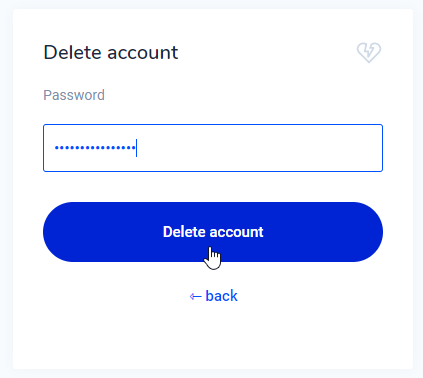
- Confirm the account deletion via the email sent to your email address.
We hope to welcome you back to our platform at a later date!
Frequently Asked Questions
How can I delete my account if I have remaining assets below the minimum transaction value?
To delete an account with a remaining balance under €5, you can proceed with deletion if you sell the remaining assets using a market or PG order and clicking the "Max" button for the amount, or you can remove the remaining small amounts (dust) by following the steps below:
- Log in to your account with a web browser.
- Click on the currency for which you still have a low balance.
- Choose the option to remove the remaining balance.
Do I need to delete my account to change my personal data?
No, you do not need to delete your account to change personal information. Below you will find instructions on how to change your username, password, bank account, and email address.
Was this article helpful?